Blogged by Ujihisa. Standard methods of programming and thoughts including Clojure, Vim, LLVM, Haskell, Ruby and Mathematics written by a Japanese programmer. github/ujihisa

Wednesday, August 3, 2011

Benchmarks between Clang and GCC about Ruby 1.9.3

Since Matz Ruby Implimentation ruby 1.9.3 has been released as preview release, I think that all Rubyists should abandon the ruby they are usually using, ruby 1.9.2, and should use 1.9.3 now.

Ruby 1.9.3 also supports clang instead of gcc inofficially. You can compile ruby with clang 3.0 and almost everything works(*1).

Building clang 3.0

There are two things you have to understand before you build clang.

  • Clang is a subproject of LLVM. You cannot build clang independently to LLVM unless you are an LLVM specialist.
  • LLVM build directly has to be not in LLVM source tree for some reason.

Otherwise it just fails building.

$ mkdir -p ~/src/llvm-git-build
$ cd ~/git
$ git clone http://llvm.org/git/llvm.git
$ cd tools
$ git clone http://llvm.org/git/clang.git
$ cd ~/src/llvm-git-build
$ ~/git/llvm/configure --prefix=`pwd`/local
$ make && make install

That will install llvm commands and clang in ~/src/llvm-git-build/local/bin directory.

$ ~/src/llvm-git-build/local/bin/clang -v
clang version 3.0 (http://llvm.org/git/clang.git d484040a5fc8d8d8a7a6a0239fc3b34486258181)
Target: x86_64-apple-darwin10.8.0
Thread model: posix

Building ruby 1.9.3 with clang

$ cd ~/git
$ git clone http://github.com/ruby/ruby.git ruby193
$ cd ruby193
$ git checkout ruby_1_9_3 origin/ruby_1_9_3

a.sh

export CC=~/src/llvm-git-build/local/bin/clang
autoconf && ./configure --with-out-ext=tk\* --with-arch=x86_64 --prefix=`pwd`/local --with-readline-dir=/usr/local --with-libyaml-include=/usr/local/include && make && make install

then

$ sh a.sh

Benchmark

$ local/bin/ruby benchmark/run.rb --ruby=local/bin/ruby

I ran on ruby made by clang and ruby made by gcc and compared them.

gcc/clang gcc [sec] clang [sec]
loop_generator 1.55 1.187 0.768
vm_thread_pass_flood 1.38 0.52 0.377
vm1_const 1.23 1.449 1.175
so_random 1.15 1.191 1.04
so_k_nucleotide 1.11 0.02 0.018
vm2_case 1.10 0.338 0.307
vm2_regexp 1.07 1.8 1.683
loop_whileloop 1.07 0.677 0.634
vm_thread_pipe 1.07 1.659 1.556
so_count_words 1.06 0.442 0.418
loop_whileloop2 1.06 0.148 0.14
so_reverse_complement 1.06 0.019 0.018
vm1_swap 1.06 0.956 0.906
vm2_array 1.05 1.543 1.468
vm1_ivar 1.04 1.662 1.596
vm1_length 1.04 1.467 1.412
vm_thread_create_join 1.03 4.45 4.321
vm_thread_pass 1.02 2.308 2.258
loop_times 1.02 1.834 1.796
app_uri 1.01 1.362 1.346
io_select2 1.00 3.976 3.957
vm1_rescue 1.00 0.799 0.798
vm1_ivar_set 1.00 1.766 1.765
io_select3 1.00 0.03 0.03
vm1_ensure 1.00 0.736 0.738
io_select 1.00 3.503 3.513
vm_thread_alive_check1 1.00 0.327 0.328
so_mandelbrot 0.99 6.776 6.817
vm1_not 0.99 0.958 0.965
vm2_poly_method_ov 0.98 0.422 0.43
io_file_write 0.98 1.78 1.815
so_nbody 0.97 4.861 5.012
vm2_eval 0.97 28.817 29.772
so_partial_sums 0.97 6.003 6.211
so_concatenate 0.96 5.322 5.536
so_exception 0.96 1.653 1.723
loop_for 0.95 1.865 1.96
vm1_neq 0.95 1.206 1.269
io_file_read 0.95 3.764 3.965
so_sieve 0.94 1.06 1.13
vm3_gc 0.93 1.593 1.712
so_pidigits 0.92 0.905 0.982
so_spectralnorm 0.92 3.911 4.265
vm2_proc 0.91 0.858 0.941
so_nested_loop 0.91 1.415 1.554
so_fannkuch 0.89 2.321 2.6
vm3_clearmethodcache 0.89 0.683 0.767
so_array 0.89 1.859 2.098
vm2_defined_method 0.88 4.449 5.034
io_file_create 0.88 4.266 4.831
vm1_simplereturn 0.88 2.034 2.307
vm_thread_mutex3 0.88 1.894 2.164
vm2_send 0.87 0.494 0.567
vm2_unif1 0.87 0.419 0.484
so_matrix 0.86 1.173 1.357
so_nsieve_bits 0.86 4.002 4.637
app_tak 0.86 1.133 1.316
so_lists 0.85 1.439 1.698
app_tarai 0.85 0.9 1.062
vm1_block 0.85 2.818 3.331
so_ackermann 0.82 0.891 1.082
vm_thread_mutex1 0.82 1.145 1.393
so_nsieve 0.80 3.188 3.967
vm2_super 0.80 0.68 0.852
so_binary_trees 0.79 0.492 0.62
app_strconcat 0.79 1.93 2.444
vm2_mutex 0.79 1.546 1.968
vm2_zsuper 0.78 0.682 0.88
vm2_poly_method 0.77 2.654 3.444
app_factorial 0.76 1.317 1.734
app_erb 0.76 1.834 2.426
so_meteor_contest 0.75 4.953 6.626
so_object 0.74 1.047 1.416
vm2_method 0.71 2.174 3.049
app_pentomino 0.70 25.525 36.325
app_fib 0.70 0.812 1.168
so_fasta 0.67 2.866 4.302
app_answer 0.66 0.075 0.113
app_mandelbrot 0.65 2.422 3.743
app_raise 0.49 0.861 1.743
vm_thread_mutex2 0.41 1.228 2.977

Considering all the results gcc-made ruby is faster than clang-made ruby but not in all the benchmarks. Hopefully the results must be an interesting example for some people.

Footnote and references

Monday, July 25, 2011

Compiling a C File, Preserving the LLVM File

Assuming you have a C file a.c and want to get a.ll and a.o.

An intuitive way is that

$ clang -flto -S a.c
$ mv a.s a.ll
$ clang -flto -c a.c

But the second clang looks waste of CPU; you generate an LLVM assembly language and then you generate an object file through LLVM assembly language without using the generated assembly file.

Let me break down the second command into small pieces..

$ clang -flto -S a.c
$ mv a.s a.ll
$ llc a.ll
$ gcc -c a.s

In GCC

$ gcc -c --save-temps a.c

oh... very easy...

http://www.qiita.com/questions/87

Saturday, July 23, 2011

String Interpolation in Haskell

Ruby has a special syntac in String literal which name is String Interpolation that you can write the result of a expression in a string easily.

"hello, #{name}!"

The notation is equivalent to the following notation.

"hello, " + name + "!"

That's not only available in Ruby but also in CoffeeScript.

I wrote this for Haskell in Haskell.

{-# LANGUAGE OverloadedStrings #-}
import qualified Data.Text as T
import qualified Data.Text.IO as T
import qualified Data.Attoparsec.Text as P
import Control.Applicative

main = T.putStrLn $ stringInterpolate "as{df \"jkl#{x}jkw\"jl}kf"

(<<) = T.append

stringInterpolate :: T.Text -> T.Text
stringInterpolate x = case P.parseOnly stringInterpolate' x of
                           Left x -> T.pack x
                           Right x -> x

stringInterpolate' :: P.Parser T.Text
stringInterpolate' = P.try $
  T.concat <$> P.many (block <|> string <|> T.singleton `fmap` P.notChar '}')

block :: P.Parser T.Text
block = P.try $ do
  x <- (P.char '{') *> stringInterpolate' <* (P.char '}')
  return $ "{" << x << "}"

-- "jklsfj#{...}sdjfkl"
string :: P.Parser T.Text
string = P.try $ do
  x <- (P.char '"') *> stringContent <* (P.char '"')
  return $ "(\"" << x << "\")"

-- jklsfj#{...}sdjfkl
stringContent :: P.Parser T.Text
stringContent = P.try $
  T.concat <$> P.many (interpolate <|> T.singleton `fmap` P.notChar '"')

-- #{...}
interpolate :: P.Parser T.Text
interpolate = P.try $ do
  x <- P.string "#{" *> stringInterpolate' <* P.char '}'
  return $ "\" ++ " << x << " ++ \""

String concatination in Haskell is ++. The program above converts string literals like the below.

"hello, #{name}!"

("hello, " ++ name ++ "!")

You can write arbitrary expression in the placeholder.

"hello, #{[ toUpper c | c <- ['a'..'z'] ]}!"

("hello, " ++ [ toUpper c | c <- ['a'..'z'] ] ++ "!")

Thursday, June 30, 2011

Vanrb Lightning Talk Slides: Ruby and Vim

http://www.meetup.com/vancouver-ruby-rails/events/21277581/

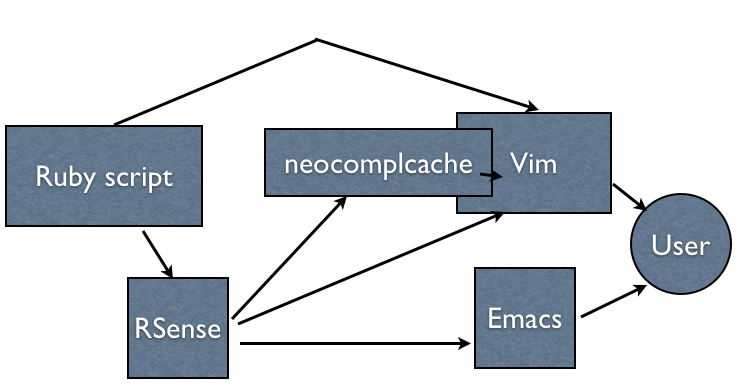
structure

structure

RSense

A Ruby development toolset

  • Code completion
  • Type inspection
  • Definition jump

RSense code completion

a.rb

a = '123'
b = a.to_i
b.

rsense command

$ rsense code-completion --file=a.rb --location=3:2
completion: to_enum Object#to_enum Object METHOD
completion: succ! String#succ! String METHOD
completion: swapcase! String#swapcase! String METHOD
completion: instance_variable_defined? Object#instance_variable_defined? Object METHOD
...

Implementation

  • Front-end command bin/rsense
  • Back-end server process with Java&JRuby
  • Type-inference algorithm "modified-Cartesian Product Algorithm"

limitations

  • classes in the buffer
  • 1.8 built-in libraries
  • incorrect syntax
  • evals and exceptions

Vim

Vim

Vim

Vim and me

  • fullscreen MacVim
  • vimshell (no other terminals)
  • neocomplcache
  • unite
  • quickrun

RSense built-in Vim plugin

User-defined completion <C-x><C-u>

a = '123'
b = a.to_i
b._

Insert-mode completions in general

  • <C-n> Keyword
  • <C-x><C-f> File name
  • <C-x><C-s> English spelling
  • <C-x><C-o> Omni
  • <C-x><C-u> User-defined

neocomplcache

Insert-mode auto-completion plugin framework

  • No key mapping necessary
  • Integrates lots of completions

RSense as omni func

~/.vimrc

let g:rsenseUseOmniFunc = 1
let g:rsenseHome = expand('~/git/rsense')

let g:neocomplcache_omni_patterns = {}
let g:neocomplcache_omni_patterns.ruby = '[^. *\t]\.\w*\|\h\w*::'

one more thing

  • neco-: prefix for neocomplcache plugins
  • neco-rake: rake task completion

structure

structure

Sunday, June 12, 2011

String\#slice of Ruby in Vim script and Haskell

A Ruby example of String#[]

str = "Oh, this is a pen."
p str[/this is a (\w+)\./, 1]

The result is "pen". Since String#[] is just an alias of String#slice, (*1)

p str.slice(/this is a (\w+)\./, 1)

The result is completely same.

in Vim script

Vim script version needs two separate processes; getting the list of first-matched string itself and containing sub matches, and then getting the specific item.

let str = "Oh, this is a pen."
echo matchlist(str, 'this is a \(\w\+\)\.')[1]

(Added at Sun Jun 12 09:26:44 PDT 2011) thinca suggested that matchstr() with \zs and \ze is very handy, particularly because of the different behavior in the case when it didn't match.

let str = "Oh, this is a pen."
echo matchstr(str, 'this is a \zs\w\+\ze\.')

in Haskell

Haskell version needs three separate processes with Text.Regex.Posix.=~; it's almost same to Vim but the default =~ behaviour is to assume the regex object has "global" option, so you have to pick which match.

import Text.Regex.Posix ((=~))
main = do
  let str = "Oh this is a pen."
  print $ head (str =~ "this is a ([a-zA-Z_]*)" :: [[String]]) !! 1

(Added at Sun Jun 12 12:54:01 PDT 2011) The following code is another example; it's safe in runtime and also this supports Vim's \zs and \ze.

import Text.Regex.PCRE ((=~))
import Data.String.Utils (replace)
import Safe (headMay, atMay)
import Data.Maybe (fromMaybe)

matchstr :: String -> String -> String
matchstr expr pat =
  let x = replace "\\zs" "(" $ replace "\\ze" ")" pat in
  fromMaybe "" $ headMay (expr =~ x :: [[String]]) >>= \y -> atMay y 1

main = print $ matchstr "this is a pen" " \\zs\\w+\\ze"

in Clojure

(Added at Thu Mar 22 17:49:40 PDT 2012)

((re-find #"this is a (\w+)\." "Oh, this is a pen.") 1)
; "pen"
  • (*1) Precisely no. Try and check the differences between them without the second argument.

Tuesday, May 31, 2011

A Vim Workshop in Tokyo, Japan in May

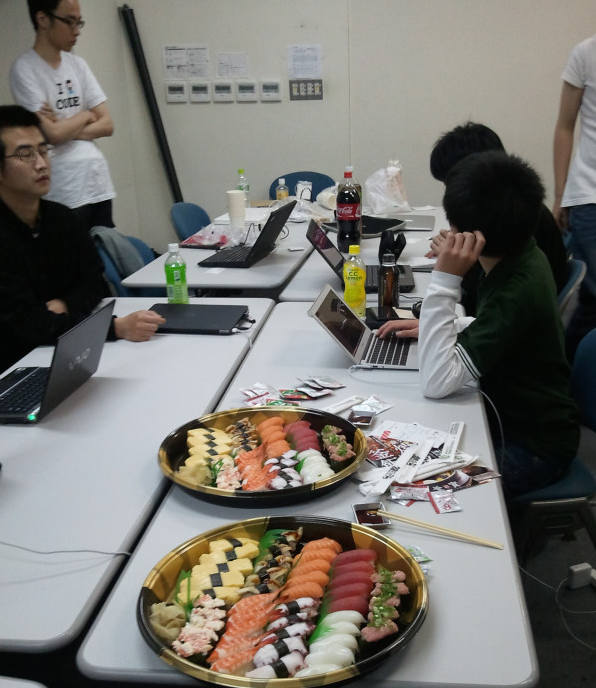
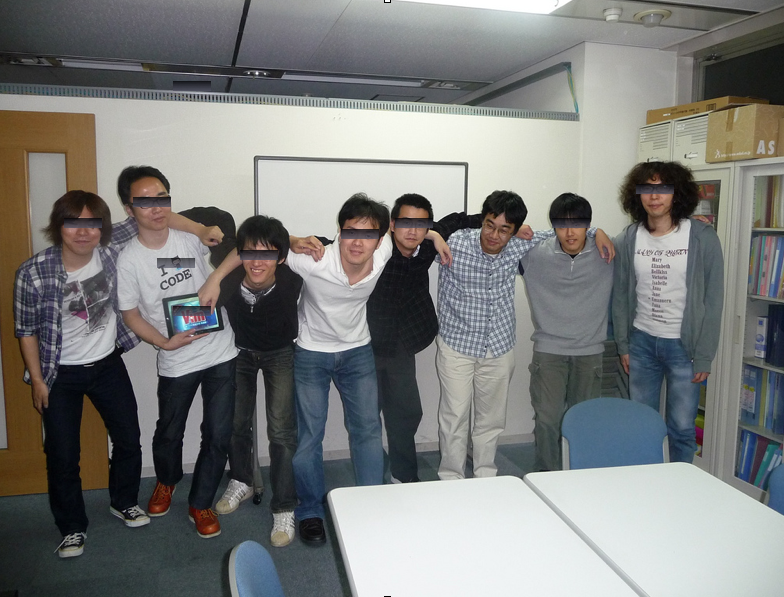
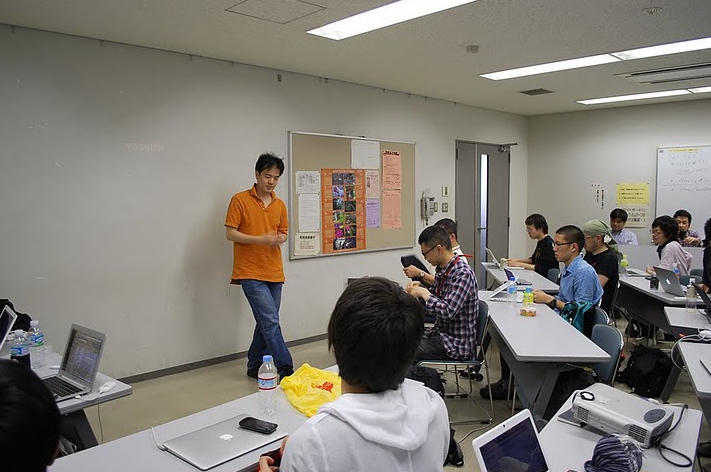
I organized a Vim workshop in Tokyo, Japan. The name of the workshop was ujihisa.vim. More than 40 people tried to come but 20+ people attended at this workshop due to the capacity of the room.

The venue

I went to Tokyo for this workshop.

a photo by guyon

a photo by guyon

Thanks TMI and kana1!

Talks

  1. shadow.vim with me
  2. all your vimrc is belong to us with kana1
    • picks a victim, points a lot of bad smells in the vimrc of the victim, and fix them!
    • if the length of your vimrc is less than 1000, you aren't a Vimmer yet.
    • syntax on is evil. use syntax enable.
  3. i18n with niw
    • strchars() doesn't treat multi-byte character correctly.
  4. tiny-vim with guyon
    • about Debian package "tiny-vim"
    • no built-in documentation!
  5. Vim in 5 minutes with Shougo
    • neocomplcache, unite, vimshell and vimfiler author
    • explained everything about Vim exactly within 5 minutes and extra minutes for further details
  6. vital.vim with me
    • it's amazing. use it if you are a Vim plugin author.
    • something like jQuery (from JavaScript) + Bundler (from Ruby)
    • there's an issue in vital.vim about debugging with quickrun. (*)
  7. metarw-yakiudon with sora_h
    • a metarw plugin yakiudon
    • works almost exactly same as blogger.vim but the backend Ruby library is different
    • after this presentation he talked about Ruby core development

(*) thinca, the quickrun author, fixed this issue with the following change in vital during the workshop!

Misc

Before and after the workshop some of the attendees had lunch and dinner with good Vim conversation. The topics were a lot.. vimshell, CoffeeScript, Titanium, HootSuite, Twitter, Ruby core, the ultimate programming language Zimbu, PHP vs Vim script, Emacs lisp and etc...

Quotes

  • "It's... it's not the Vim I knew..."
  • "I came to Japan from San Francisco only for attending at this workshop"
  • "Wow! HootSuite for iPad works amazingly!!!"

Monday, May 9, 2011

Workshops in Amagasaki, Japan by Me

I organized the 7th Vim workshop and a CoffeeScript workshop in Amagasaki, Japan on the last Saturday.

About 20 to 30 people attended the workshops. Even though the room had an air conditioner, the room was so hot and humid like sauna by them (and their MacBooks.)

I was supposed to make presentations with demonstrations, but unfortunately I forgot bringing my mini-DVI port for my initial version of MacBook Air. There were many MacBook Air attendees but nobody had the same version to me. I eventually gave up using my computer and just made presentation by friends' computers. Sorry for missing demonstrations.

Vim Workshop#7

There were five talks

  • Recommended Vim plugins (by me)
  • The implementation of lingr.vim (by tsukkee)
  • Bundle with Vundle (by kozo2)
  • Unite is useful, and rails.vim as well (by Sixeight)
  • All about vital.vim (by me)

I broadcasted them and recorded some of them (I just forgot recording the others.) http://ustream.tv/channel/uji

CoffeeScript Workshop

There were five talks.

  • Introduction to CoffeeScript -- syntax and usage (by me)
  • Node.js on Windows, and introduction to no.de (by cuzic)
  • iPhone app development with CoffeeScript and Titanium (by deguchi)
  • TDD with Jasmine and CoffeeScript (by http://twitter.com/nanki)
  • Details of CoffeeScript syntax (by yhara and me)
by fukui

by fukui

See also

Blog entries written by attendees. All of then are written in Japanese.

Vim

CoffeeScript

Followers